
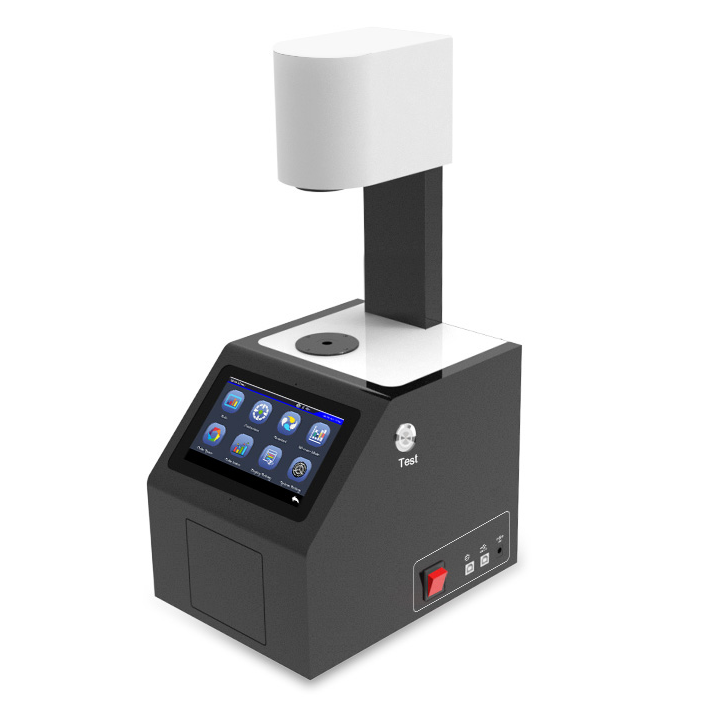
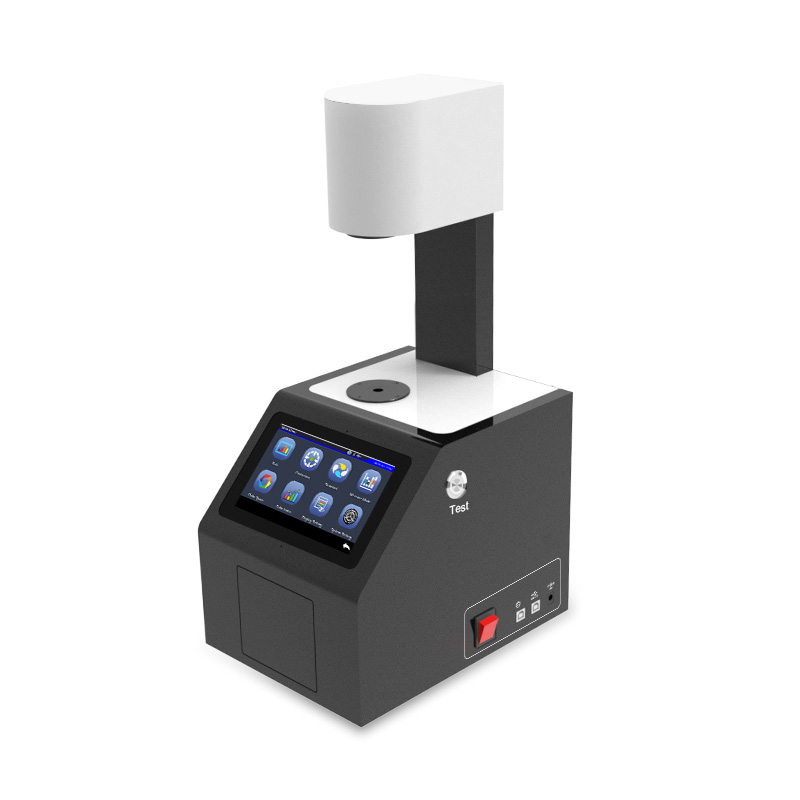
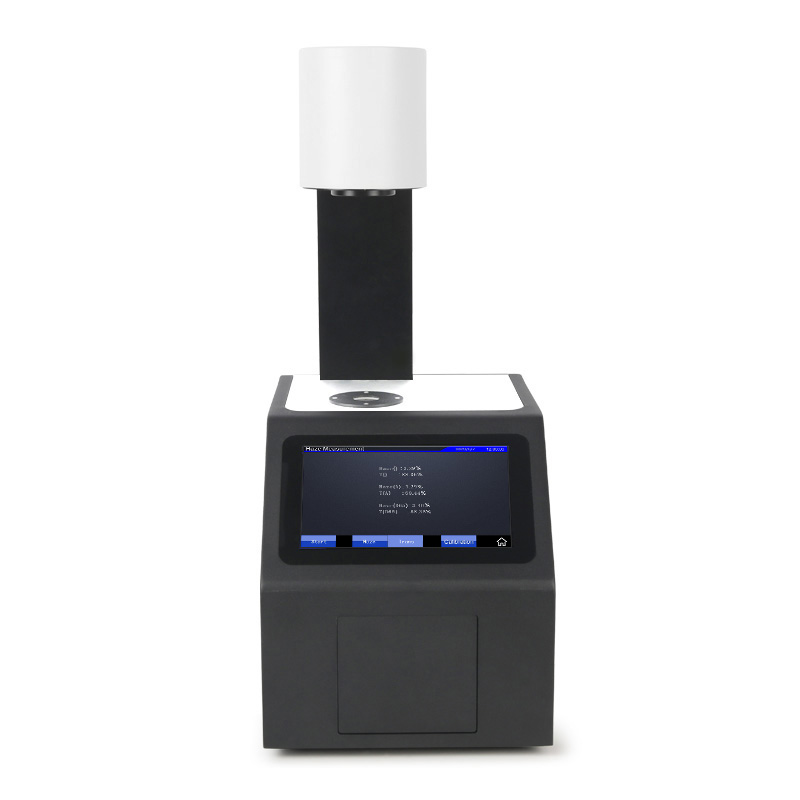
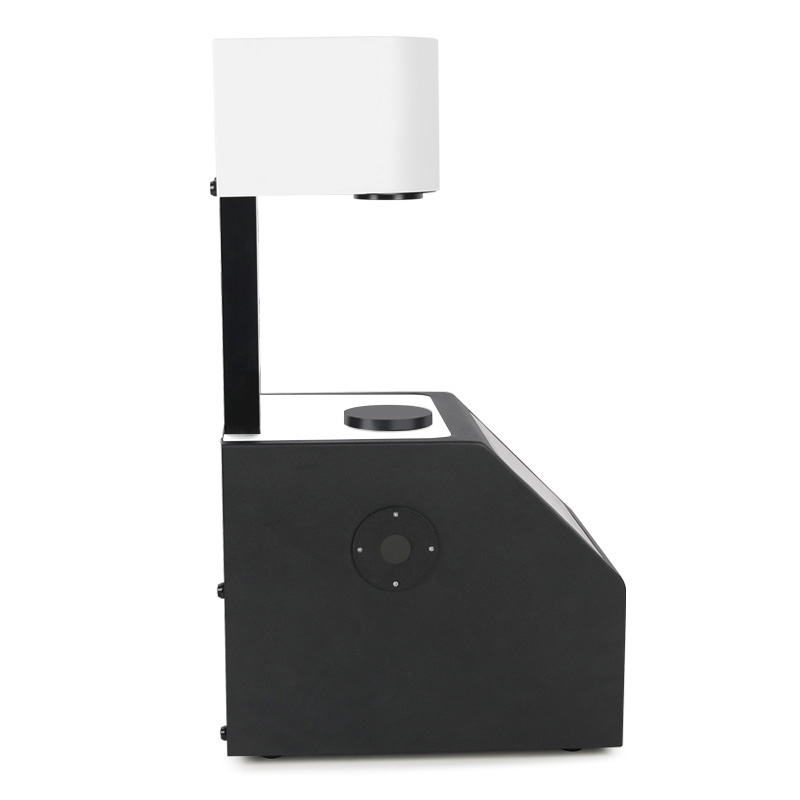
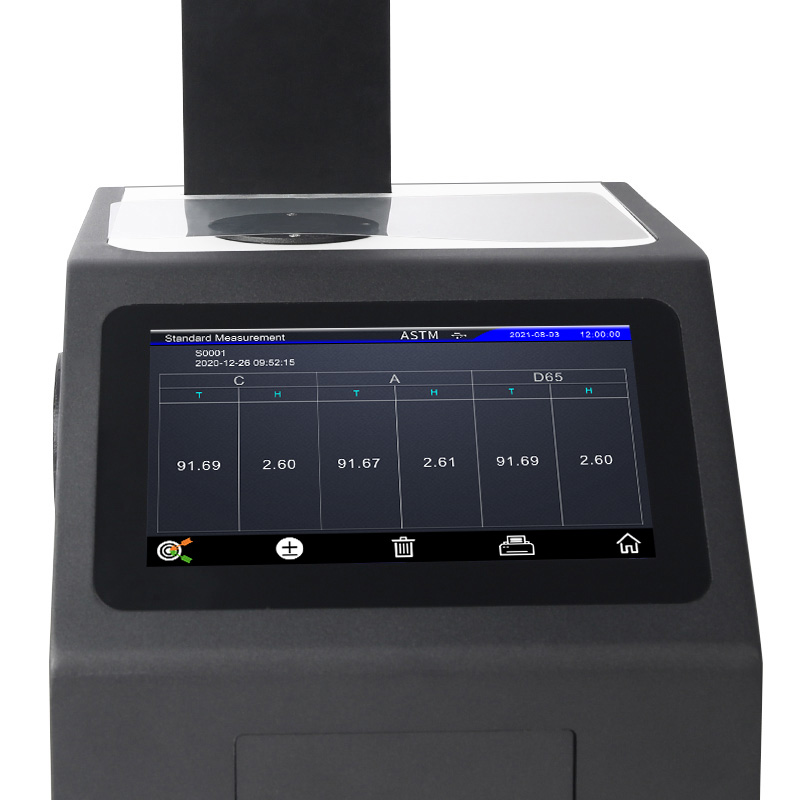
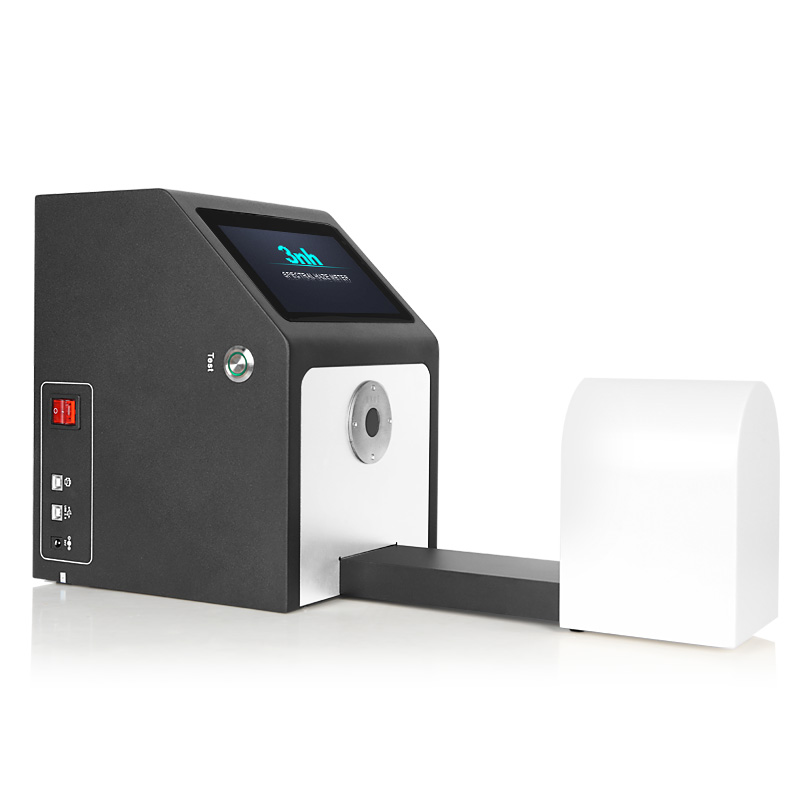
3nh KS1300 color Haze Meter is spectro-Haze Meter specifically designed for measuring the color and haze of transmitted samples. It employs a transmission 0/D optical structure and nano-integrated spectral technology to accurately capture multiple parameters such as haze, transmittance, color difference, whiteness, yellowness, pt-co index, and turbidity of transparent and translucent materials such as glass, plastic, thin film, and liquid. It can also display various colorimetric data such as transmittance spectrum diagrams and chromaticity diagrams.
The KS1300 color Haze Meter features a 7-inch TFT true-color touchscreen, making it simple and convenient to operate. It employs an open measurement area, allowing for both vertical and horizontal testing, and can detect samples with a thickness less than 170mm. It also offers selectable single-diameter options of 20/15/8mm to accommodate materials of various sizes. The instrument is equipped with quality management software and supports multiple interfaces such as USB and Bluetooth, enabling data storage, export, and report printing. It is widely used in industries such as glass, plastics, display processing and packaging, and liquid pharmaceutical analysis, making it a preferred device for basic quality control of general-purpose transparent materials.
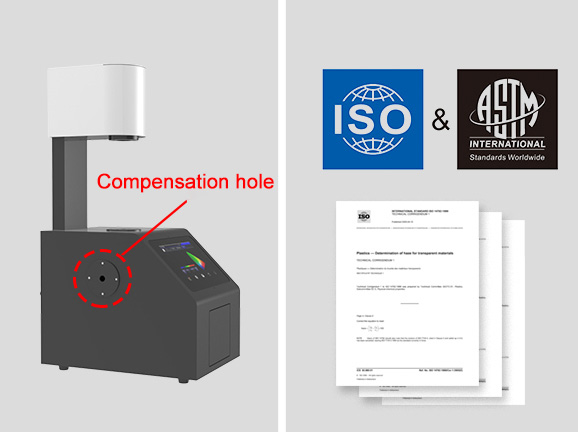
1. Dual measurement method support: Compatible with both ASTM D1003 uncompensated method and ISO 13468 compensated method, meeting the testing standard requirements of users in different industries.
2. Compliant with multiple standards: Meets 12 domestic and international standards including ASTM D1003/1044, ISO 13468/14782, GB/T 2410, JJF 1303-2011, and CIE 15.2.
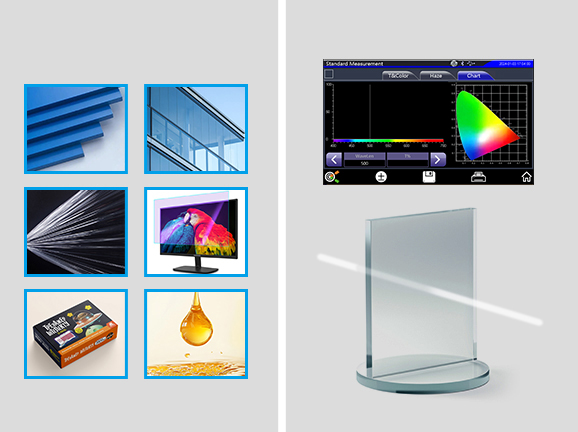
It can measure color difference, haze, transmittance, transmittance spectral curve, and color of liquid medicine.
It can measure various transparent and semi-transparent materials such as plastics, glass, films, displays, packaging, and liquid medicines in one stop, including haze, total transmittance, color difference, yellowness, whiteness, absorbance, cobalt-platinum index, Gardner index, CMYK, Tint (ASTM E313-00), metamerism index (MI), turbidity, transmittance spectral curve, and liquid color.
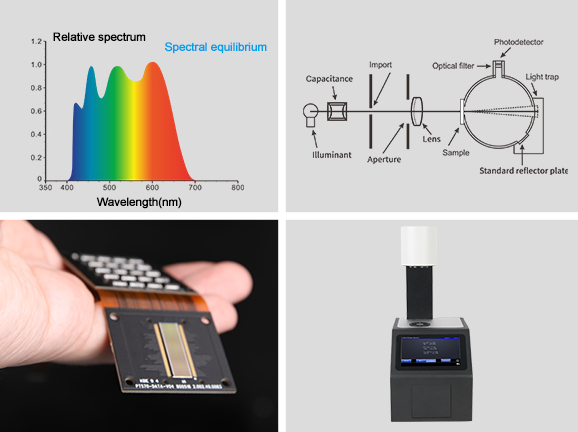
Professional transmittance curves accurately present the optical properties of materials.The measurement results show the transmittance curve of the sample across the entire wavelength range of 400-700nm, and simultaneously and accurately output chromaticity data. Based on the transmittance performance data, the optical properties of the material can be comprehensively evaluated.
1. Light Source: 400~700nm combined LED light source, covering the full visible light band
2. Spectrophotometric Method: Nanoscale integrated spectral devices, ensuring spectral measurement accuracy
3. Sensor: Silicon photodiode array (dual-row, 18 groups), achieving high-resolution data acquisition
Good measurement repeatabilityThe instrument has good repeatability with haze resolution of 0.01 units, haze repeatability ≤0.03 (Φ20mm aperture), transmittance repeatability ≤0.03, and color difference repeatability ≤0.03, comparable to imported brands.
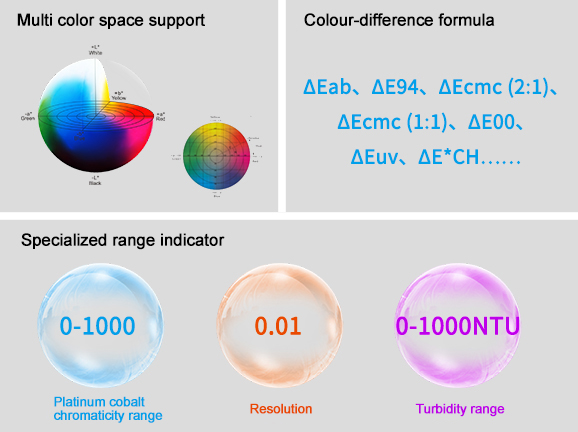
1. Multiple color space support: Covers 9 color spaces including CIE LAB, XYZ, Yxy, LCh, s-RGB, βxy, CIE LUV, Musell, and HunterLab.
2. Full range of color difference formulas: Supports ΔE*ab, ΔE*94, ΔE*cmc (2:1), ΔE*cmc (1:1), ΔE*00, ΔE*uv, ΔE*CH, etc.
3. Specialized range indicators: Pt-Co index range 0-1000, resolution 0.01; Turbidity range 0-1000NTU
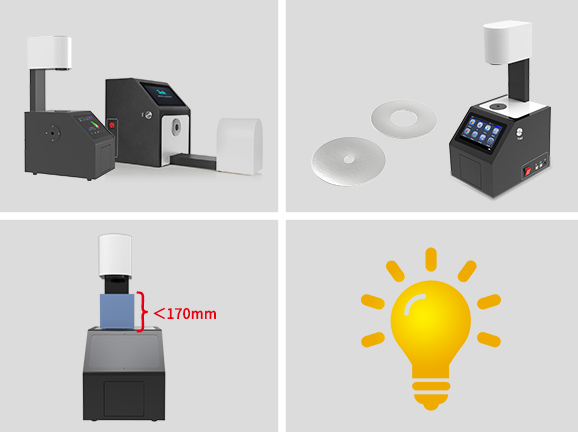
1. Dual-mode measurement: Open measurement area, supporting both vertical and horizontal testing modes.
2. Three-aperture design: Φ20mm/Φ15mm/Φ8mm selectable single aperture.
3. Sample compatibility: Supports various samples with a thickness less than 170mm.
4. Globally compatible lighting standards: Built-in 25 standard observation light sources, simulating lighting environments in different regions to ensure cross-regional data consistency.
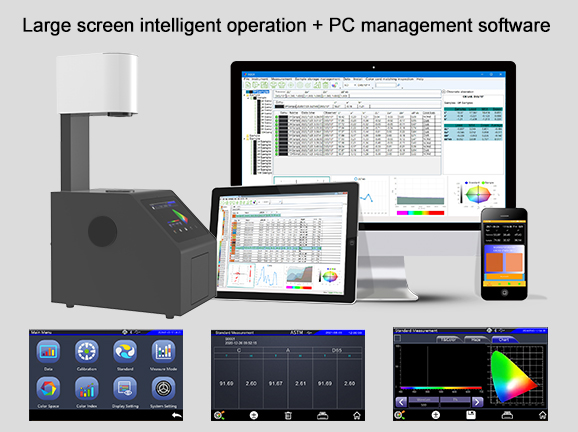
1. Control system: 7-inch TFT true-color capacitive touchscreen, button-free design, user-friendly human-machine interaction.
2. Data display: Simultaneously presents spectrum, sample color values, color difference values/graph, chromaticity diagram, color simulation, and PASS/FAIL results, easy for beginners to interpret.
3. Equipped with PC software: The instrument comes with PC-based quality management software, suitable for optical and appearance quality monitoring and color data management across various industries. It can be connected via USB interface and Bluetooth for online measurement, supporting data export and test report printing.
Product Model | KS1300 Color Haze Meter (Spectrophotometric/Vertical/Compensation Port) |
Lighting Method | Transmission: 0/D (parallel light illumination, diffuse receiving); |
Features | The instrument can easily implement ASTM D1003 uncompensated method and ISO 13468 compensated method for total transmittance and haze testing. |
Integrating Sphere Size | Φ154mm |
Light Source | 400~700nm combined LED light source |
Spectrophotometric Method | Nanoscale integrated spectral devices |
Sensor | Silicon photodiode array (dual-row, 18 groups) |
Measurement Wavelength Range | 400~700nm |
Wavelength Interval | 10nm |
Half Bandwidth | 10nm |
Transmittance Measurement Range | 0~100% |
Measurement Aperture | Φ20mm/Φ15mm/Φ8mm (Select a single aperture) |
Sample Size | Thickness less than 170mm |
Color Spaces | CIE LAB,XYZ,Yxy,LCh,s-RGB,βxy,CIE LUV,Musell,HunterLab |
Color Difference Formula | ΔE*ab,ΔE*94,ΔE*cmc(2:1),ΔE*cmc(1:1),ΔE*00,ΔE*uv,ΔE*CH |
Other Colorimetric Index | Haze(ASTM D1003/1044,ISO 13468), Transmittance T(ISO), Transmittance T(ASTM), WI(ASTM E313,CIE/ISO, AATCC, Hunter, Taube, Berger, Stensby), YI(ASTM D1925,ASTM 313), Absorbance, Pt-Co Index, Gardner Index, CMYK, Tint (ASTM E313-00), Metamerism Index (MI), Turbidity |
Observer Angle | 2°/10° |
Observation Light Source | D65,A,C,D50,D55,D75,F1,F2,F3,F4,F5,F6,F7,F8,F9,F10,F11,F12,CWF,DLF,TL83,TL84,TPL5,U30,NBF |
Display | Spectrum, sample color values, color difference values/graph, chromaticity diagram, color simulation, PASS/FAIL result |
Measurement Time | Approx. 1.5s |
Haze Resolution | 0.01 unit |
Haze Repeatability | Φ20mm aperture, within 0.03 (After instrument warm-up and calibration, standard deviation of 30 tests at 5s intervals on a standard haze plate with haze of approximately 30) |
Transmittance Measurement Range | 0~100% |
Transmittance Resolution | 0.01 unit |
Transmittance Accuracy | ±1% |
Transmittance Repeatability | Φ20mm aperture, within 0.03 (After instrument warm-up and calibration, standard deviation of 30 tests at 5s intervals on a standard haze plate with haze of approximately 30) |
Color Difference Repeatability | Φ20mm aperture, within 0.03 (After instrument warm-up and calibration, 30 tests at 5s intervals on white glass) |
Pt-Co Index Resolution | 0.01 |
Pt-Co Accuracy | (5%H+1), H: standard value |
Pt-Co Range | 0-1000 |
Turbidity Range | 0-1000NTU |
Dimensions | L x W x H = 290 x 211 x 511mm |
Weight | Approx. 7.6kg |
Power Supply | DC 24V, 3A power adapter |
Light Source Lifespan | 5 years, more than 3 million measurements |
Display | 7-inch TFT color LCD, Capacitive Touch Screen |
Interface | USB, Print serial port, Bluetooth |
Storage | Standard 5000pcs, Sample 20000pcs |
Language | Simplified Chinese, Traditional Chinese, English |
Operating Temperature Range | 0~40℃ (32~104°F) |
Storage Temperature Range | -20~50℃ (-4~122°F) |
Standard Accessories | Power Adapter, User Guide, Quality Management Software (download from official website), USB cable, 0% calibration box, measuring aperture |
Optional Accessories | Micro-printer, Test fixture, Standard haze sheet, Foot switch |
Note: | Specifications are subject to change without notice. |
1. When I received NH310/NH300 colorimeter and perform measurement, why the measured data is abnormal?
After receiving NH310/NH300, you have to perform white and black calibration manually when first starting.
2. In which condition, manual white and black calibration and auto calibration are required for NH310?
a. It’s needed to perform manual calibration for NH310 when first starting.
b. In the subsequent starting, NH310 will perform auto calibration at startup. No need to perform manual calibration.
c. Suggestion: it’s best to perform manual calibration once a week or when NH310 measured data is not accurate.
3. In which condition, manual white and black calibration for NH300 is required?
a. It’s needed to perform manual calibration for NH300 when first starting.
b. In the subsequent starting, no need to perform manual calibration.
c. Suggestion: it’s best to perform manual calibration once a week or when NH300 measured data is not accurate.
4. How to replace NH310 measuring aperture?
There are three measuring apertures for NH310: Φ8mm (standard accessory), Φ4mm (standard accessory), extended Φ8mm (optional accessory)
a. Turning on
b. Removing measuring aperture, install the needed measuring aperture.
c. Select “Settings-Aperture Setting” in main menu to select corresponding measuring aperture.
d. After selecting aperture, the instrument will display “White and Black Calibration” interface. White and black calibration must be performed.
e. Replace completed.
5. CQCS3 (Color Quality Control System) Installation
a. Before installation, please Copy CQCS3 folder to your computer and don’t remove any files in CQCS3 folder.
b. Double-click the setup.exe to install CQCS3 software.
c. Then double-click Install.bat under the CQCS3\USB_Driver file to install the driver.
d. Detailed installation information please read the "Installing Software" under CQCS3 User manual.doc.
6. How to check communication port?
a. Connect colorimeter to the PC with USB cable.
b. Turn on the colorimeter to enter main menu. Select “Comm” and press “Enter” key to start communication.
c. Right click on “My Computer” on the desktop. Click “Manage” -> “Device Manager” -> “Ports”, you can see similar display as “SCI USB2Serial (COM6)”.
d. Click “Settings->Communication Parameters” in CQCS3 software interface. Select the corresponding port in “Serial Port”.
7. After completing CQCS3 installation, how to solve the problem if it display “! USB Device” or “! SCI USB2Serial (COM6)” when checking the communication port?
a. Right click “! USB Device” or “! SCI USB2Serial (COM6)”, “Update Driver” -> “Install from a list or specific location (Advanced)” -> “Next” ->“Include this location in the search” -> “Browse”, specify USB driver file path “CQCS3\USB_Driver”, click “Next”. Then it will install successfully.
b.Detailed installation information please refers to “2.2 Installing USB Driver” in Color Quality Management System User Manual.doc.
8. Notes for First Using CQCS3 Software
a. Users must specify Standard File Name, Sample File Name and Sample Database File Name when first use.
b.Standard File is use to store standard measurement data. Sample File is used to store sample measurement data. Sample Database File is used to store the measured data exported from sample records.
9. How to solve the problem when “Connection Timeout” occurred?
a. When the colorimeter is disconnected to the PC, “Connection Timeout” will occur. At the moment, you have to check whether the USB cable is well connected the colorimeter and the PC. Then you can re-plug the USB to try out.
b. After ensuring the colorimeter is connected to the PC with USB cable, turn on the colorimeter and enter the main menu. Select “Comm” and press “Enter” key to start communication.
c. Turn off CQCS3 software, and reopen it.
10. How to solve the problem when the interface display "USB Disconnect"
a. Check whether the USB cable is connected. If not, please connect it. Check whether the connection is effective. You can re-plug the USB cable to test.
b. If the USB cable is connected well but the interface still displays "USB Disconnect", please re-start the colorimeter and enter "Menu" -"Comm"to start the communication.
c. Change the USB cable or change the USB port in you PC.
11. How to solve the problem when the colorimeter cannot be turned on in the condition of battery-powered?
a. If this phenomenon occurred, it means the battery power is not enough. You need to charge the battery.
b. When charge the battery, please insert the battery to the instrument, and plug in the adapter to charge the battery. After 5 minutes, the instrument can be turned on.
c. If the instrument still cannot be turned on after charging 5 minutes, you can pull out the adapter and re-plug in to check it. Or repeat this operation.
d. If the instrument still cannot be turned on after charging 5 minutes, you can turn off the colorimeter and turn on it again to check it. Or repeat this operation.
e. If you have tried all the methods above but the colorimeter still cannot be turned on, please change the battery.
